Audiences
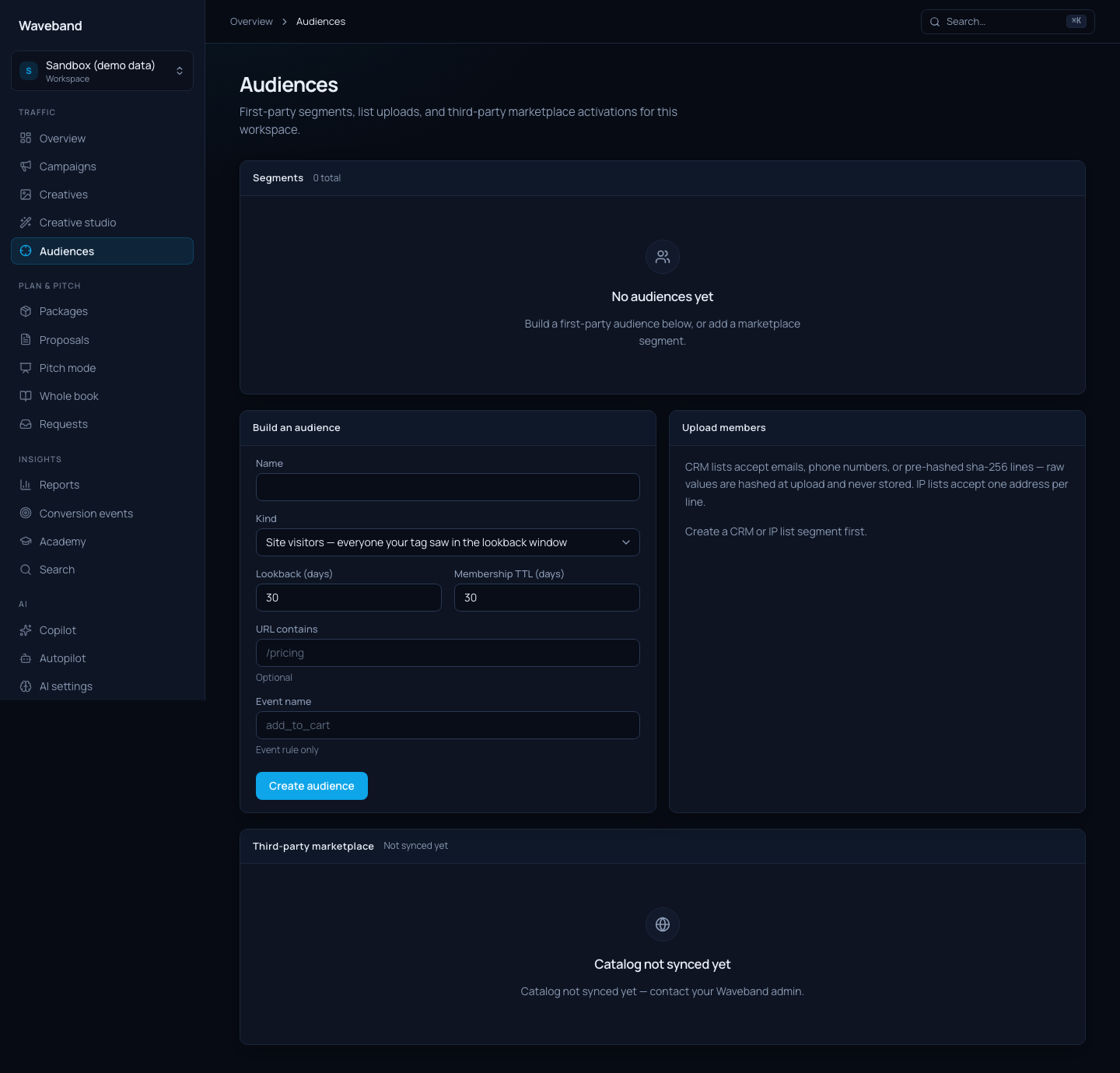
Build first-party audiences from your tracked site activity, upload customer lists, or add third-party segments from the data marketplace: then attach any of them to a line item's targeting in one click.
Pixel-based audiences
If the site tag is installed, three rule-based audience types re-evaluate automatically on a rolling window:
- Site visitors: everyone who visited your site, optionally filtered to URLs containing a substring (e.g.
/pricing), over a 1-180 day lookback. - Converters: everyone with an attributed conversion, optionally restricted to one conversion event or a minimum order value. Attach as an exclusion to suppress existing customers.
- Event rule: everyone who fired a specific tracked event, such as
add_to_cart.
Pixel-based audiences need at least 100 matched users before they can be attached: this protects delivery and prevents overly narrow targeting.
Customer list uploads
CRM lists accept emails, phone numbers, or pre-hashed SHA-256 lines: one identifier per line. Raw values are normalized and hashed the moment they arrive; the original email or phone number is never stored. IP lists accept IPv4 and IPv6 addresses for household and CTV targeting.
Data marketplace
The console mirrors a third-party segment catalog locally so browse and search never hit the upstream API live. Use the filter bar to narrow the catalog:
- Search: matches segment name, category path, provider, or description
- Provider: filter to one data vendor (options show segment counts)
- Max CPM: upper bound on data CPM in dollars
- Min reach: Any, 100K+, 1M+, or 10M+
- Sort: category path, CPM (low/high), reach, or name
Each listing shows the leaf segment name, category crumbs, data CPM (billed per thousand matched impressions on top of media), and estimated reach. Adding a segment makes it available for attachment immediately. The catalog refreshes daily (and on demand from Admin → Doctor), so CPM and availability stay in sync. Segments that leave the upstream catalog are flagged as unavailable and cannot be newly attached.
Attaching to line items
Attach a segment to include it (multiple attached segments must all match: AND logic) or exclude it to suppress those users. Changes sync to delivery automatically. The same operations are available in the console, the REST API (POST /v1/audiences/:id/attach), and to AI agents through the attach_audience and detach_audience tools: agent attachments respect your agent permission policy, so you can require human approval for audience changes.
API & agents
GET /v1/audiences,POST /v1/audiences: list and create segmentsPOST /v1/audiences/:id/members: upload CRM or IP linesPOST /v1/audiences/:id/attach: attach/detach on a line itemGET /v1/marketplace-segments: browse/search the catalog. Query params:q,provider,minCpm,maxCpm(USD dollars),minReach,sort(path|cpm_asc|cpm_desc|reach_desc|name),limit,offset. Response:{ items, total }.- MCP tool
search_audience_marketplace: same filters; returns{ items, total }(not a bare array)