Apps & custom models
Bring your own intelligence and build on the platform: run your own model as the brain behind Autopilot decisions, fine-tune models on your exported data, or build apps that act on your workspaces through OAuth and event subscriptions.
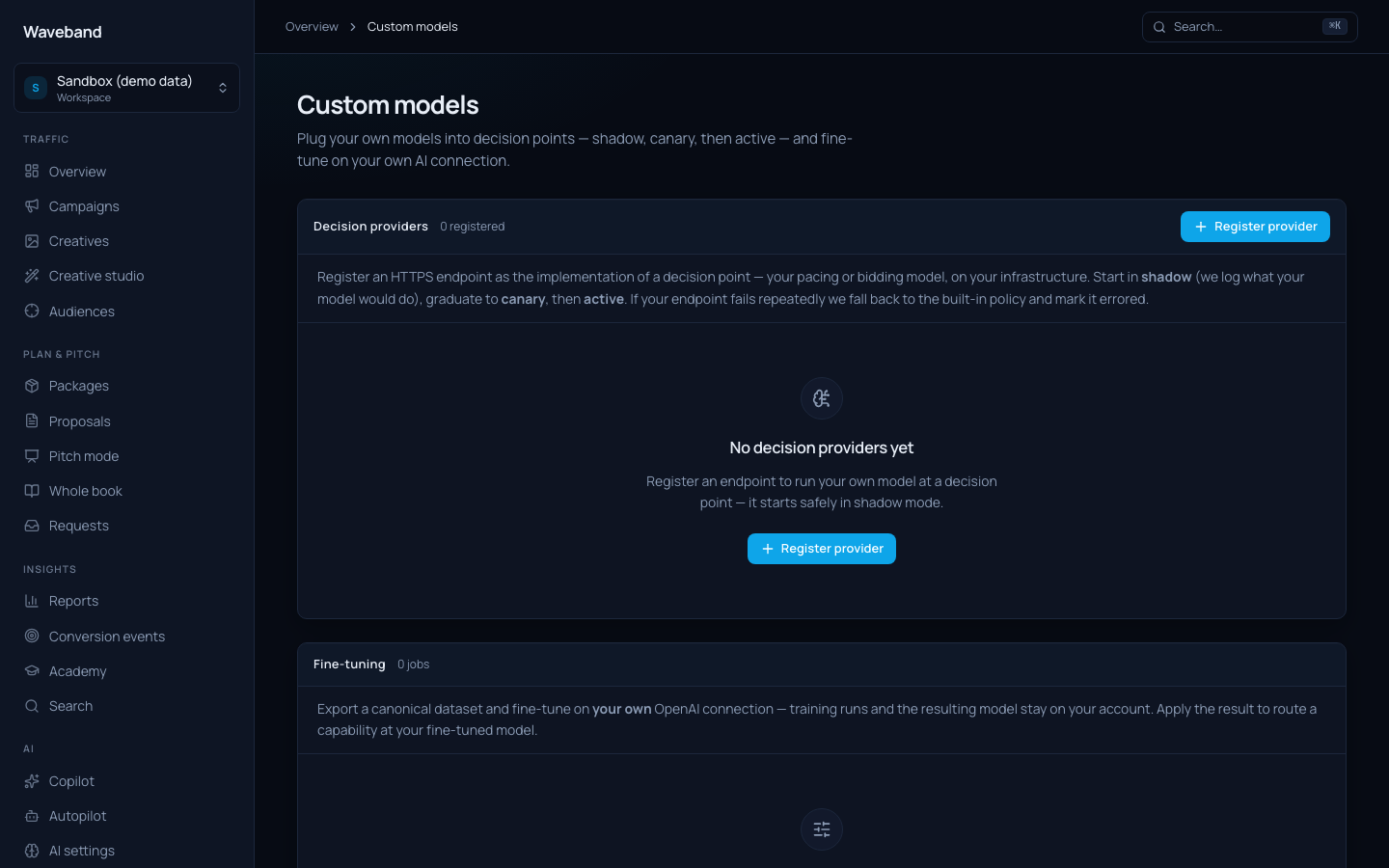
Custom models as decision providers
Register an HTTPS endpoint (Console → Custom models) as the implementation of a decision point: your pacing policy, CPA guard, or reach optimizer, running on your infrastructure. Every provider starts in shadow mode: we call your endpoint on every Autopilot run and log what your model would have done to the decision log, while the built-in policy stays in charge. Promote to canary (your model drives a percentage of runs) and then active once the shadow record earns your trust.
Wire contract
Your endpoint receives a POST with a JSON body containing the decision point, the automation's goal and parameters, and a performance snapshot for each active line item (budget, spend, impressions, conversions, CPA, CPM over the lookback window).
Every request is signed: verify x-waveband-signature (sha256=<hex>) as HMAC-SHA256 over `${timestamp}.${body}` using the signing secret shown once at registration, where timestamp is the x-waveband-timestamp header.
Respond within your configured timeout (default 3s) with:
{
  "actions": [
    {
      "action": "budget_change",
      "lineItemId": "…",
      "proposedBudgetUsdMinor": 90000,
      "rationale": "Pacing 130% of target; reducing 10%."
    },
    {
      "action": "pause_resume",
      "lineItemId": "…",
      "toStatus": "paused",
      "rationale": "CPA 2.4x above target."
    }
  ]
}
Your actions pass through the same agent permission policy (grants, guardrails, execution modes) as built-in optimizations: a custom model never bypasses approval requirements or budget guardrails. If your endpoint times out or errors, the run falls back to the built-in policy; five consecutive failures pause the provider until you re-enable it.
Fine-tuning on your own key
Console → Custom models → Fine-tuning exports a training dataset from your account history and drives a fine-tune on your own OpenAI connection. Training runs on your account, the resulting model belongs to you, and we never see your key in plaintext.
- decision_log.v1: your applied and approved optimization decisions (input snapshot → decision + rationale). Teaches a model your trading judgement.
- campaign_performance_daily.v1: trailing 7-day delivery windows paired with the next day's actuals. Teaches short-horizon delivery forecasting.
When the job succeeds, one click routes any AI capability (copy generation, report narratives, optimization reasoning) at your fine-tuned model.
Partner apps
An app is an OAuth client with a scope ceiling you define at creation. Users grant access through the standard consent screen; tokens carry at most the intersection of what the app requested, what the user may do, and the app's ceiling.
- Create the app in Console → Apps: name, redirect URIs, scope ceiling.
- Copy the
client_idandclient_secret(shown once). - Run the authorization-code flow against
/oauth/authorizeand/oauth/token. Confidential clients authenticate with the secret (form body or HTTP Basic); PKCE is supported and recommended. - Call the REST API v1 with the resulting bearer token.
Event subscriptions
Instead of polling, subscribe the app to event topics (campaign changes, sync results, decisions, deliveries) with a delivery URL. Deliveries are HMAC-signed and retried with backoff: the same pipeline as workspace webhooks. Build a bid-alert bot, a creative approval flow in your PM tool, or an automation that clones campaigns on a trigger.
Revocation
Revoking an app immediately revokes its live tokens, disables its event deliveries, and blocks new consent grants. Rotating the secret invalidates the old secret instantly.